
Install Inbox Pet in Front
A quick walkthrough for adding Inbox Pet as a custom plugin in Front. You'll need company admin access for the install.
Before you start
- • Front company admin permissions.
- • The plugin URL below, ready to paste.
- • A modern browser (Chrome, Edge, Firefox, Safari).
Plugin URL
https://getinboxpet.com/appStep by step
- 1
Open Front Settings, then Company
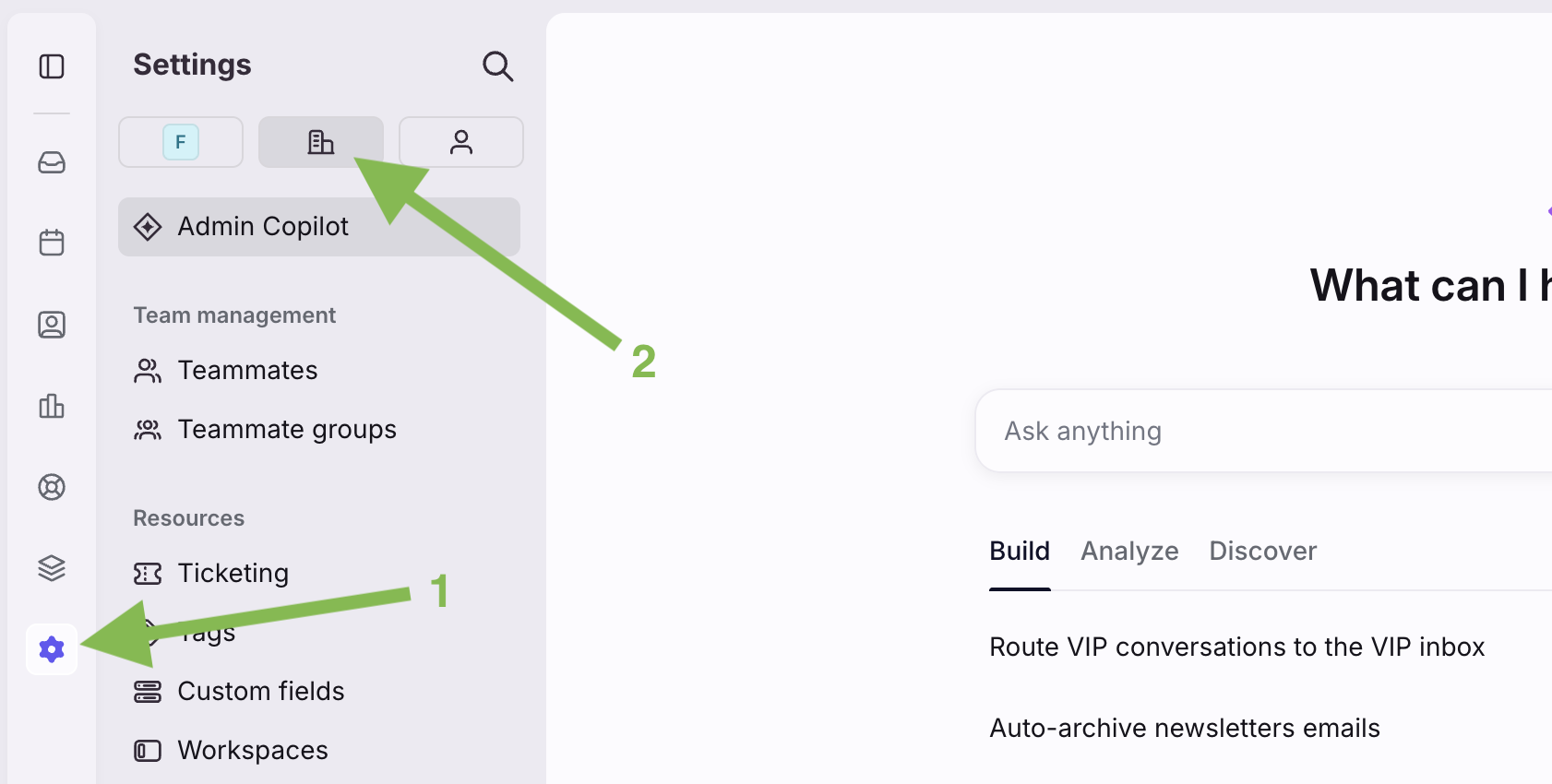
Click the gear icon in the bottom left of Front to open Settings, then switch to the Company tab (the building icon) at the top. You'll only see Company if you're a company admin.
- 2
Open Developers
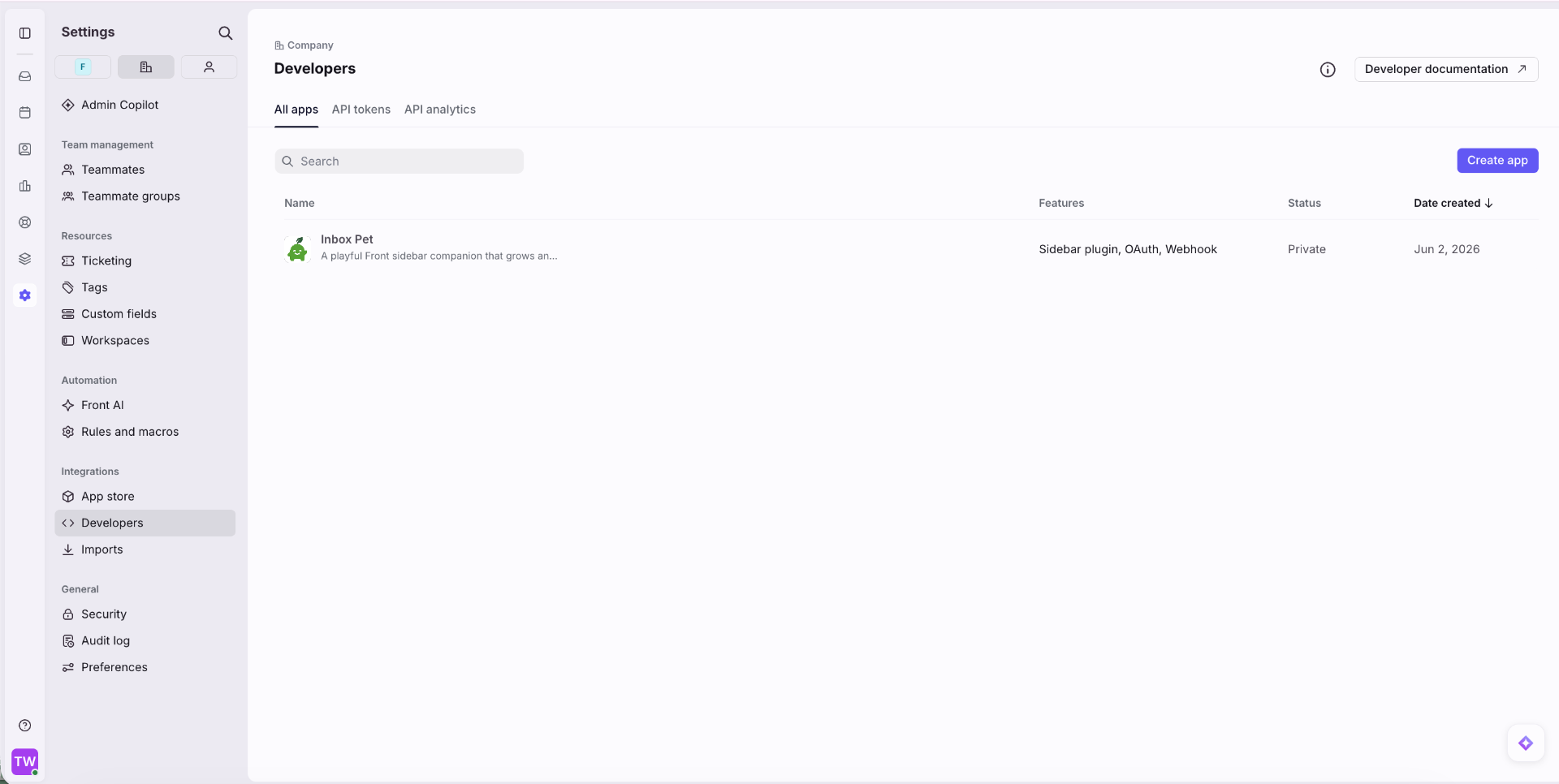
In the Company settings sidebar, scroll to Integrations and click Developers. This is where custom apps live.
- 3
Create the app
Click Create app in the top right, name it Inbox Pet, and save. You'll polish the icon and description in a moment, after wiring up the sidebar.
- 4
Add the Sidebar Plugin feature
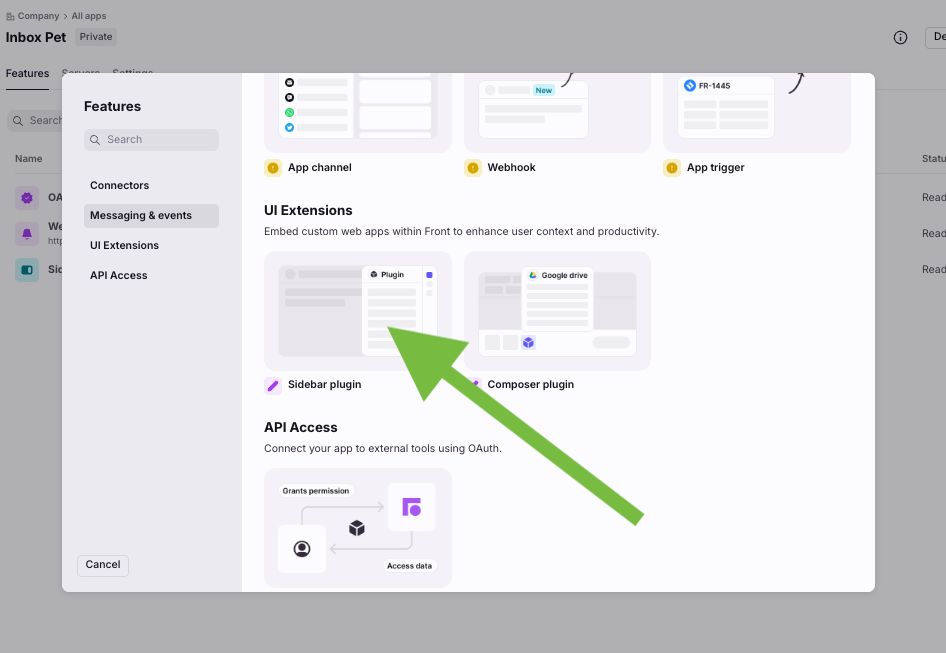
Open the Features tab on your new app, click Add feature, then pick Sidebar plugin under UI Extensions. Paste the Inbox Pet plugin URL above into the Sidebar URL field and click Create.
- 5
Polish the app settings
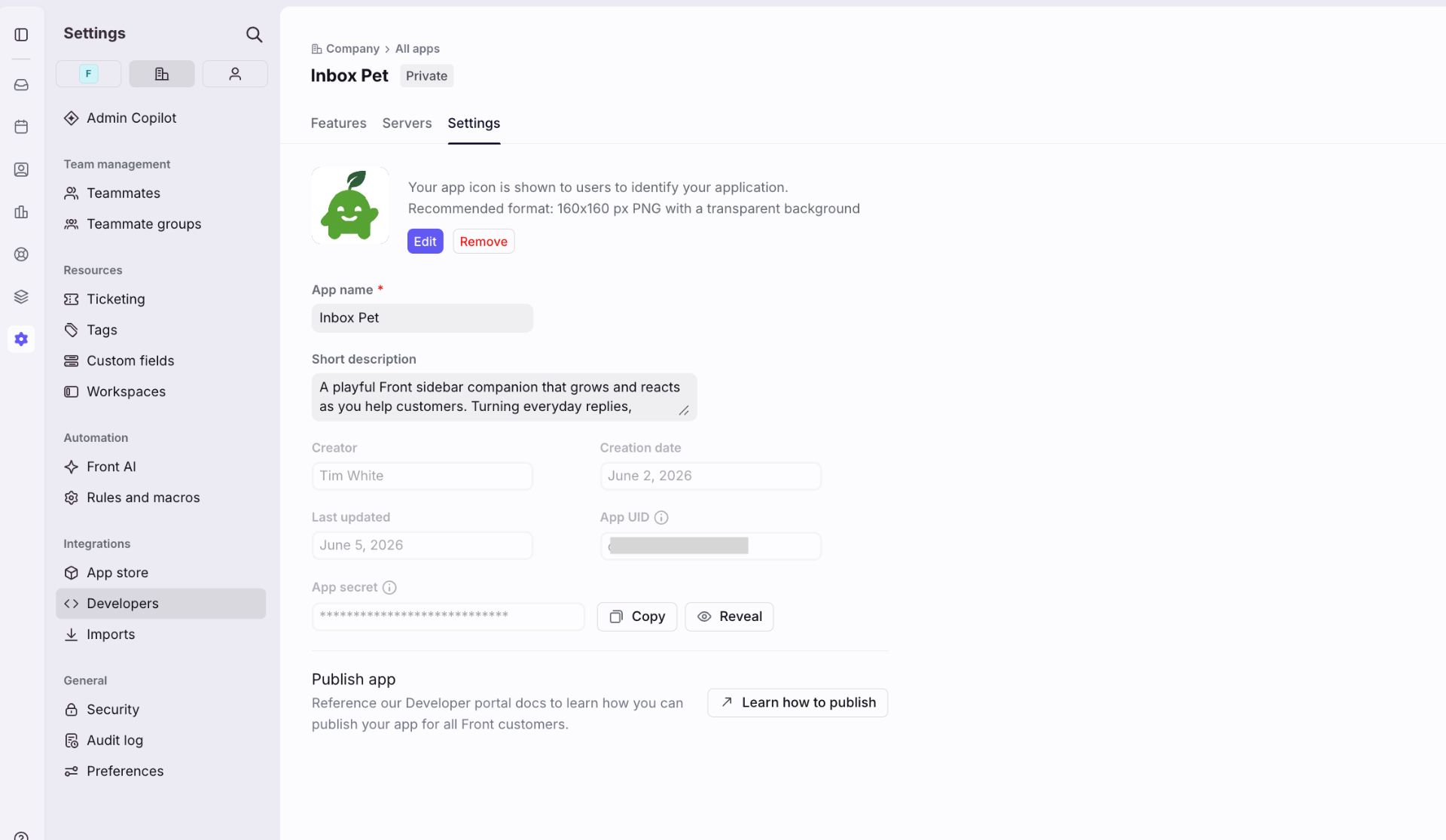
Head to the Settings tab on your app. Upload an icon (160x160 PNG with a transparent background works best), click to download the icon, add a short description so teammates know what Inbox Pet is, and save.
- 6
Reload Front
Refresh Front and open any conversation. Inbox Pet pops into the right sidebar, ready to meet your inbox. Everyone in your workspace gets it automatically, no separate assign step needed.